Tag: Update

  • Roastmaster iOS 26

    Roastmaster iOS 26

    The Biggest Update We’ve Ever Issued

    This update has been a long time coming for many disparate reasons, not the least of which is its sheer size.

    Roastmaster’s goal was never just roast profiling, but rather helping roasters assimilate all of their coffee-related data into working knowledge that enables them to mold, grow and evolve their craft and business in meaningful ways.

    The Final Keystone

    The reason we use the words “Integrated” and “Gestalt” is because they fit the mission of Roastmaster. Only an integrated software package can show how all the different parts of your roasting work together to shape the final product.

    This update is about tying it all together…giving a dedicated space packed with tools to help you analyze, inspect, compile, categorize, deconstruct, and more importantly…plan.

    That may be planning your inventory, purchases, prices, profiles or signature blends. Or, it may be planning evolutions to your workflow, business model or roasting structure.

    Whatever, the goal…it’s takes a deep understanding of your workflow and data to accomplish it. And this, more than anything, is what fulfills the promise of “Gestalt”…an understanding that is greater than the sum of its parts.

    New in Roastmaster iOS 26

    General

    iOS 26 Support

    Freemium Pricing Model

    Analytics Suite

    Bug Fixes

    Discontinued support for BlueTherm Duo

    Productivity

    Faster Data Engine

    Window Support

    Smarter Item Creation

    Global App Menu

    Contextual Menus

    Key Commands

    Streamlined Toolbars

    Analyze

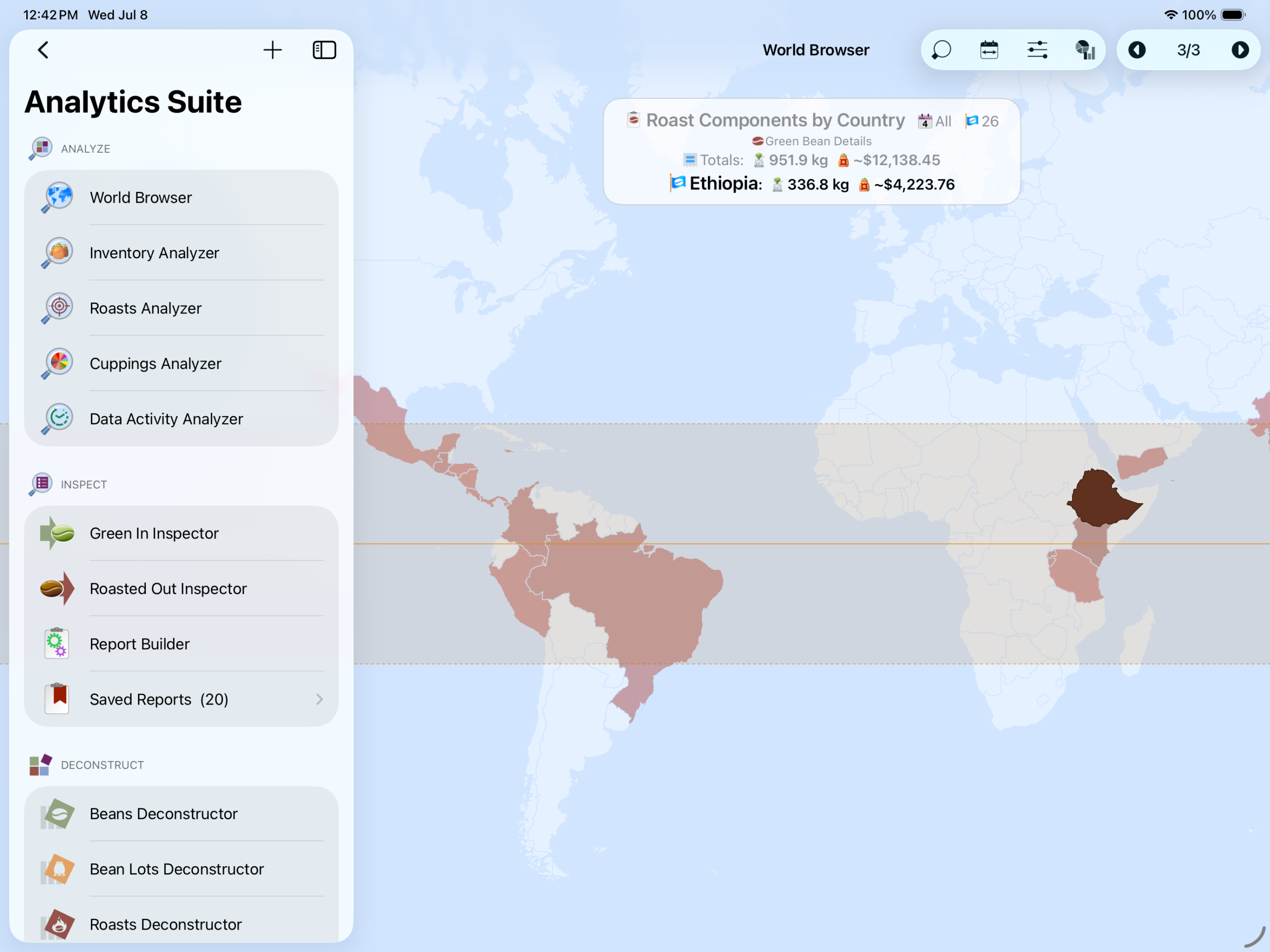
    World Browser

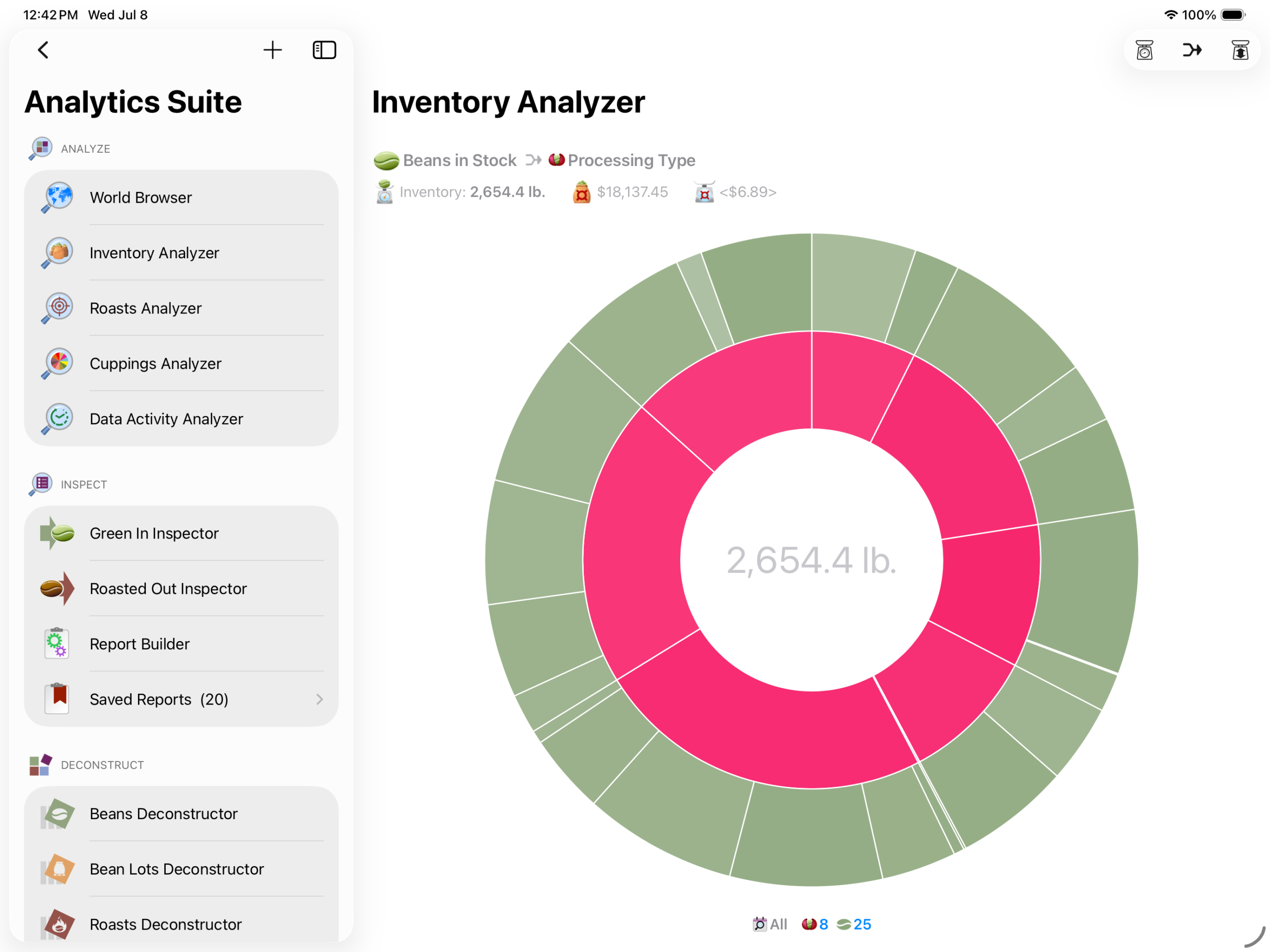
    Inventory Analyzer

    Roasts Analyzer

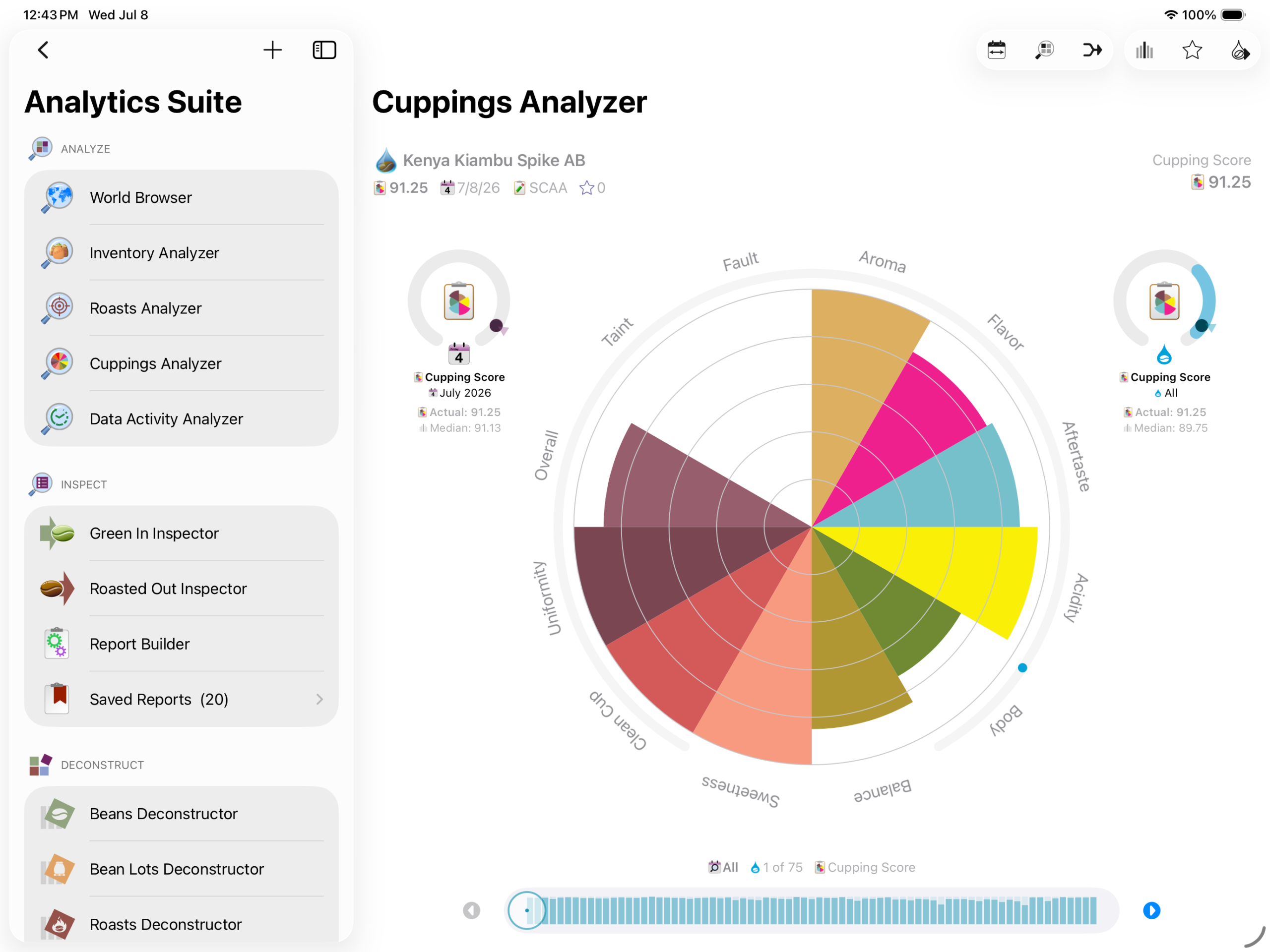
    Cuppings Analyzer

    Data Activity Analyzer

    Inspect

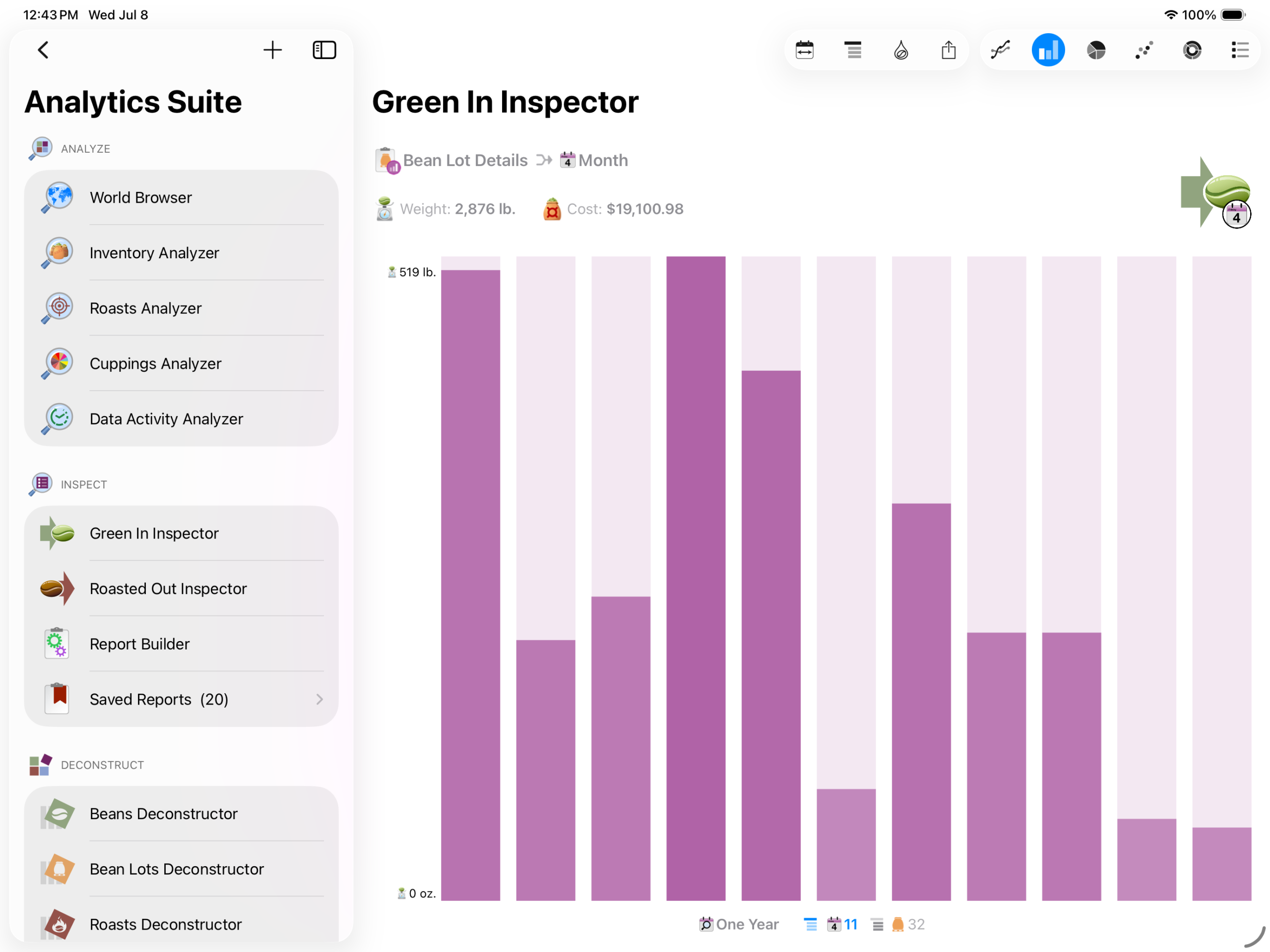
    Green In Inspector

    Roasted Out Inspector

    Report Builder

    Save Unlimited Custom Reports

    20 Default Auditing Reports

    Deconstruct

    Beans Deconstructor

    Bean Lots Deconstructor

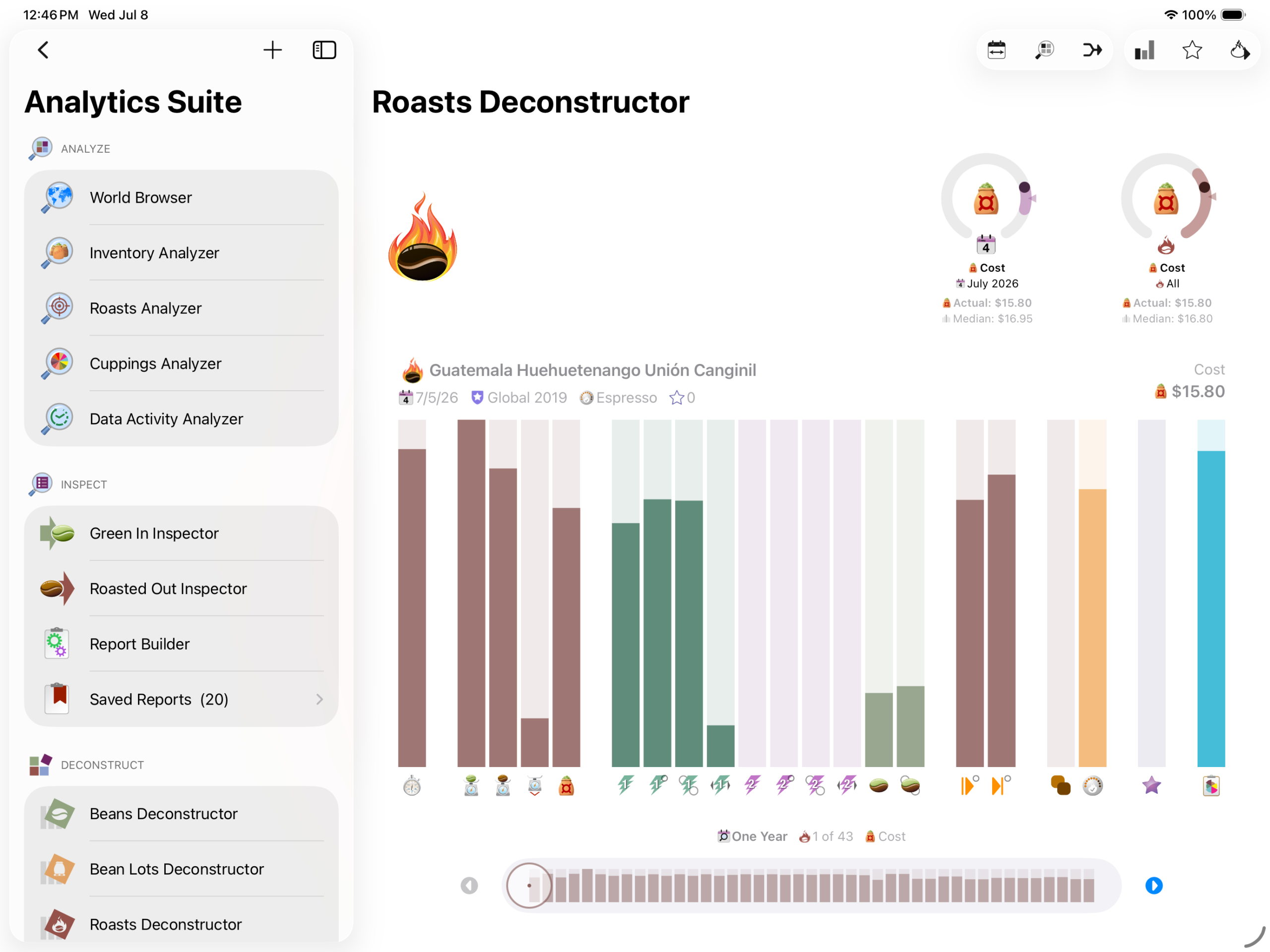
    Roasts Deconstructor

    Blends Deconstructor

    Cuppings Deconstructor

    Data Visualization

    Interactive World Map

    Histogram Data Locators

    Range Visualizers

    Itemizations

    Bar Charts

    Line Charts

    Pie Charts

    Scatter Graphs

    Tiered Pie Charts

    Radial Graphs

  • Growing Sustainably

    Growing Sustainably

    For 16 years, Roastmaster has been growing alongside coffee lovers everywhere.

    But just like coffee farming, software growth depends on sustainability. To ensure Roastmaster can continue to thrive, we’re moving to a subscription model in Roastmaster for iOS 26.

    Your subscription helps us expand the powerful tools Roastmaster is known for while introducing new features and innovations. It enables us to continue creating for the coffee community we love. In short, it sustains future growth.

    Freemium Model

    Roastmaster is now free to download and explore. Premium features are available through subscription plans arranged in tiers designed to fit a variety of needs.

    Tier subscriptions are available in either a monthly renewal period, or a discounted yearly renewal period.

    Tailored for You

    Subscription tiers are designed to fit your workflow and use.

    FeatureFreeBasicProPremium
    BeansLimit: 25Limit: 50Limit: 250Unlimited Access
    InventoryLimit: 20 lb.Limit: 200 lb.Limit: 2,000 lb.Unlimited Access
    RoastsLimit: 2 per dayLimit: 5 per dayLimit: 25 per dayUnlimited Access
    BlendsLimit: 10Limit: 50Limit: 100Unlimited Access
    CuppingsLimit: 2 per dayLimit: 5 per dayLimit: 25 per dayUnlimited Access
    AnalyticsNo AccessNo AccessUnlimited AccessUnlimited Access
    ReportsNo AccessNo AccessUnlimited AccessUnlimited Access
    World BrowserNo AccessUnlimited AccessUnlimited AccessUnlimited Access
    Data LoggingNo AccessUnlimited AccessUnlimited AccessUnlimited Access
    DatabasesLimit: 1Limit: 2Limit: 5Unlimited Access
    RoastersLimit: 1Limit: 2Limit: 5Unlimited Access
    ProfilesLimit: 5Limit: 20Limit: 50Unlimited Access
    ProgramsLimit: 5Limit: 20Limit: 50Unlimited Access
    MaintenanceNo AccessNo AccessUnlimited AccessUnlimited Access
    SnapshotsNo AccessUnlimited AccessUnlimited AccessUnlimited Access
    Siri ShortcutsNo AccessNo AccessNo AccessUnlimited Access
    XMLNo AccessNo AccessNo AccessUnlimited Access
    Tab Delimited TextNo AccessNo AccessUnlimited AccessUnlimited Access
    Curve TemplatesNo AccessUnlimited AccessUnlimited AccessUnlimited Access
    Temperature ProjectionNo AccessNo AccessUnlimited AccessUnlimited Access
    Build Roasts by YieldNo AccessNo AccessUnlimited AccessUnlimited Access
    Output LabelsNo AccessUnlimited AccessUnlimited AccessUnlimited Access

    We hope you enjoy the new Roastmaster, and we are looking forward to sustained growth!

  • Roastmaster for iOS 11 is Here

    Roastmaster for iOS 11 is Here

    Roastmaster 11 is available for download from the iTunes App Store.

    A much different feature set was planned for this update, but the introduction of the Phidgets Lib22 software caused a focus shift toward the probe side of the software. Let’s face it…those of us who rely on Phidgets for our roasting have been struggling to some degree for the last few years with an increasingly buggy Phidgets Webservice. Disconnect have plagued us all–some a little, others a lot. Until now, there was no recourse from our end.

    Good news…the Webservice is gone! It’s been replaced by a brand new “Network Server”, which Phidgets claims was rewritten from the ground up to fix the bugs that had been introduced in years of Lib21 updates. I cannot predict how it will behave in the many different environments that will battle test it, but I will say that the past 4 weeks of testing were extremely promising–not a single disconnect was experienced in our countless test roasts. If you’re a Phidgets user, please keep us posted on your success with the new Lib22 compared to the old Lib21.

    Unfortunately, Lib22 is not backward compatible with the old Lib 21, so you’ll need to update your probe host to Lib22 before roasting. Otherwise, Roastmaster will not be able to connect to your probes. More information is available here.

    We hope you enjoy the new version of Roastmaster. Please, let us know how you like the new features as you roast, or if you have any questions about using Roastmaster.

    New Features

    • Native iOS 11 support
    • Split view toggle button hides or shows the app menu, optimizing screen real estate on iPad
    • Phidgets Library 22 support, with improved wireless reliability
    • Phidgets VINT hub and thermocouple support
    • Phidgets VINT RTD probe support
    • Phidgets type E and T thermocouple support
    • RBP Bluetooth Protocol for direct connection to DIY Bluetooth LE hardware
    • Direct connection to Santoker roasters via Bluetooth LE
    • Re-designed probe architecture for faster temps and less memory usage
    • Graphical probe chooser and diagrams for easier probe setup
    • Use multiple ThermaQ Blue peripherals at the same time
    • Enter-and-advance button in decimal keyboard for faster data entry
    • Knowledgebase and website links now open in Safari for full-fledge web browsing
    • Smoother navigation
    • Various memory and speed improvements

    Bug Fixes

    • Fixed an issue where table view cells would disappear during editing
    • Fixed an issue where some averages did not display in reports
    • Fixed an issue where screen size and Q score from the current lot weren’t displayed correctly in a roasted item details screen
    • Fixed a crash when importing a Roastmaster Exchange roaster that was exported with 10.1
    • Fixed an iOS issue where Copy to Dropbox did not work
  • Roastmaster 11 and Phidgets Lib22 Compatibility

    Roastmaster 11 and Phidgets Lib22 Compatibility

    Roastmaster version 11 has just been released. If you are a Phidgets user, please read the following compatibility statement before upgrading.

    Phidgets Lib22

    In the summer of 2017, Phidgets introduced a new driver library called Library 22 (Lib22). This replaced their legacy Library 21 (Lib21) software, and was rewritten from the ground up to provide support for their new VINT products, as well as greatly improve the reliability of wireless connections via a network host.

    Unfortunately, Lib22 drivers are not backward-compatible with the Lib21 drivers used by earlier versions of Roastmaster. Roastmaster 11 (October 2017) requires Lib22 to be installed on your network host in order to connect to Phidgets. So, before you upgrade to Roastmaster 11, PLEASE ENSURE that you can devote the time to upgrading your Phidgets host to Lib 22 before roasting.

    We scheduled the release of Roastmaster 11 for late in the evening Friday, Oct 20, in order to give Phidgets users time to experiment, and bring their host into compliance with the new drivers before production cycles begin again on Monday.

    The upgrade should be quick. SBC and MacOS host users should be up and running in a matter of a few minutes. Windows host users may have to allow additional time to configure a Firewall exception rule in Windows firewall.

    Please see detailed instructions in Upgrading to Phidgets Lib22 from Lib21.

  • Roastmaster for iOS 10.0 is Here

    Roastmaster for iOS 10.0 is Here

    Well, iOS has grown quite a bit since Roastmaster came to the store a number of years ago. It has matured greatly, and we’ve done our best to make sure Roastmaster has followed suit. As iOS has grown up, though, much of Roastmaster’s core code and user interface has stayed the same.

    Through the years, Apple has deprecated much of the original iOS framework, especially with regard to the User Interface. The remaining legacy code, though viable, has become very dated compared to the shiny new framework code that has adorned the last couple of iOS releases. These new frameworks take much of the burden off of developers when coding for a growing number of devices and screen resolutions, and let us focus effort on more important aspects of our software.

    When you couple that with the plain ol’ fashioned improvements in programming languages themselves…it was time for a rewrite. We had discovered, to our dismay, that we spent too much of our time designing and programming fragile interfaces with legacy frameworks, that stood the risk of breaking when a new device hit the market.

    Roastmaster deserves better. We needed to bring the code to a state where our time was spent on features and functionality, not interface buttons, switches and graphics. We take joy in adding new capabilities, not implementing device support for the newest iPad screen sizes.

    So, we made it happen. Roastmaster for iOS 10 is the end result of 7 long months of complete code overhaul. The interface was re-imagined and re-implemented. The workflow, in many places followed suit. Every interaction that you, the users, have with Roastmaster was a candidate for the chopping block, if a better, more efficient way was conceivable. Everything from iconography to typography has been improved, with one goal in mind–a better experience for you (well, us), the users.

    And, even with all of this going on, we managed to pack a ton of great new features into this update as well!

    We sincerely hope you enjoy the new interface, workflow and functionality. This was a very long beta testing period, since the battle-tested legacy code was stripped out, and the potential for bugs was high. We’ve already had some great feedback on the new version, and welcome any more that you may have.

    New Features

    • iOS 10 compatibility (iOS 9 users must be running the latest iOS 9 update – 9.3.5)
    • A new interface, redesigned from the ground up, offers a fluid, unified and content-focused experience that is faster, more informative and easier to use than ever before.
    • The new split view master/detail layout puts everything at a finger’s reach–allowing easy navigation and data browsing.
    • Subtle color palettes combine with redesigned iconography and typography to create a clean interface–designed to put the focus on your data.
    • Direct value editing makes data entry fast and effortless.
    • Auto Layout ensures screens are optimized for any device.
    • Adaptive layout conforms to available real estate–making multi-tasking effortless.
    • Enhanced toolbars provide easy access to common actions, while new action menus display descriptions and reduce screen clutter.
    • Use the new “Roast Builder by Yield” feature to quickly plan, configure and generate your day’s roast–based on your batch size and desired roasted yield weight–with just a few taps. Whether you’re roasting single origins, or pre or post blending, Roastmaster will calculate the required green and roasts to fill your orders.
    • Calculate the weights of a blend’s individual bean components based on an overall yield weight.
    • Key commands in the Roast Analyzer make roasting easier when paired or docked to a keyboard. Hold the command key down to see a list of available commands.
    • The new Roastmaster Datagram Protocol (RDP) allows the Data Logging option to communicate with thermocouples on ANY hardware equipped with a microprocessor. Download OpenSource software, or write your own to build an inexpensive custom probe host on any type of hardware–Macs, PCs, Arduino, Raspberry PIs, and many others.
    • The new Analyzer Roast HUD view provides a large, informative display to let you monitor temperatures from a distance and track changing roast metrics. Expand, condense, or drag it around the screen–it’s your flexible assistant, showing you important milestones of the current roast as they change.
    • Improved item naming and display
    • Delta curve smoothing
    • Enhanced Analyzer targeting mode
    • New pyrolysis event type enables you to track development more precisely, regardless of crack time, and link it directly to bean temperature.
    • App-wide sorting of child items, e.g. curves, roasted/blended/cupped items, etc.
    • Each measurement field remembers the last measurement scale you used when entering data.
    • Print labels from multiple items in one step, and specify multiple copies.
    • A new cupping timer helps you keep cupping sessions on track.
    • Informative prompt system and icon badging alert you to low inventory, roaster cleaning and other warnings.
    • Informative deletion warning view provides information about which items will be left with missing data, and whether or not the delete action will cascade to other items.
    • Temperature-based report metrics.
    • Time-based event triggers.
    • Enter notes about individual samples when performing a flight-style cupping.
    • Export any entity as an XML file, for use in a 3rd party backend system, or spreadsheet software.
    • Export Roastmaster Exchange, PNGs, XLM, TXT and more directly to iCloud Drive, Slack, Dropbox, or any other URL-type app on your device.

    This release is dedicated to Aaron. Your keen mind, logic and input was invaluable to Roastmaster, as was your friendship to me. Glide high my friend!